Background Noise Test
Evaluate your environment for video calls, podcasting, and recording. Get instant meeting and podcast readiness scores with personalized recommendations.
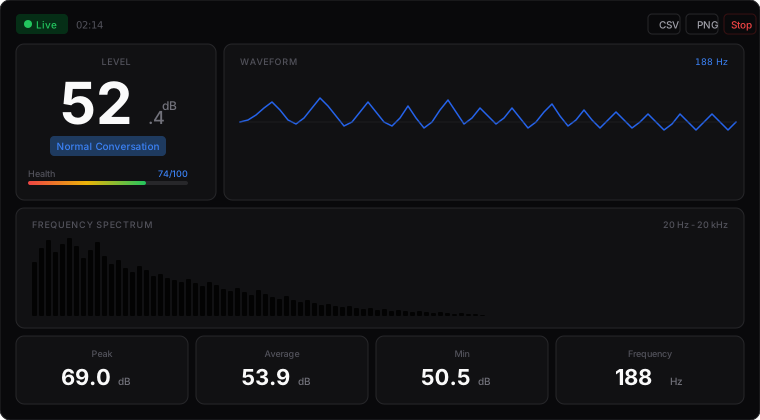
Actual interface shown after microphone access.
Requires microphone access. Audio stays on your device.
Optimizing Your Audio Environment
Your audio environment dramatically affects how you're perceived in video calls, recordings, and live streams. Background noise that you've learned to ignore is fully captured by your microphone and transmitted to listeners.
Our background noise test measures your ambient noise level and provides two key assessments: Meeting Readiness and Podcast Readiness.
Quick Noise Reduction Tips
Related Tools
Background Noise Test FAQ
What is a good background noise level for video calls?
For video calls on Zoom, Teams, or Meet, aim for background noise below 40 dB. This ensures your voice is clear without competing with ambient sounds.
How do I reduce background noise in my room?
Key steps: close doors and windows, turn off fans/AC during calls, use soft furnishings (rugs, curtains), move away from noise sources, and consider a directional microphone.
What background noise level is needed for podcasting?
Professional podcasts aim for a noise floor below 20-25 dB. Home podcasters should target below 30 dB. Use our Podcast Readiness test for specific recommendations.
Why does my environment sound noisier than I think?
Our brains filter out consistent background noise (AC hum, computer fans, traffic). A sound meter reveals this 'invisible' noise that microphones still capture.
When should I test background noise?
Test during the times you'll actually be recording or calling. Noise levels vary throughout the day - traffic peaks during rush hours, neighbors may be noisier at certain times.
Can I use this to document noise complaints?
Yes. Use the CSV export to log noise levels over time. This data can support noise complaints to landlords or local authorities.